The physical python module

A python package aimed at teaching students physics through having them program using 3d simulation. A key goal is to provide clear error messages for mistakes common among intro physics students. Physical is inspired by the visual package, but aims to provide improved error messages and assignment semantics.
-
physical.check_units(err, *vals)¶ Verifies that the arguments have the same units.
Parameters: err – a string giving the error message when units fail to match. Raises: Exception– the units do not match
-
physical.dimensionless(err)¶ A decorator for declaring that a function expects dimensionless input, such as \(\sin\) and \(\cos\). The single argument is the error message to be presented to a user who accidentally provides this function with a value having units.
@dimensionless('arguments to myfunction should be dimensionless')
def myfunction(x):
    return 4*x
>>> myfunction(4)
16
>>> myfunction(4*meter)
Traceback (most recent call last):
  ...
Exception: arguments to myfunction should be dimensionless: 4 meter
-
physical.sqrt(v)¶ Compute \(\sqrt{x}\).
>>> sqrt(4*second**2)
2.0 second
-
physical.exp(*args, **kwargs)¶ Compute \(e^x\).
Raises: Exception– x is not dimensionless>>> exp(0) 1.0 >>> exp(2*second) # bad units! Traceback (most recent call last): ... Exception: argument to exp must be dimensionless: 2 second
-
physical.sin(*args, **kwargs)¶ Compute \(\sin(x)\).
Raises: Exception– x is not dimensionless>>> sin(pi/2) 1.0 >>> sin(2*second) # bad units! Traceback (most recent call last): ... Exception: argument to sin must be dimensionless: 2 second
-
physical.cos(*args, **kwargs)¶ Compute \(\cos(x)\).
Raises: Exception– x is not dimensionless>>> cos(pi) -1.0 >>> cos(2*second) # bad units! Traceback (most recent call last): ... Exception: argument to cos must be dimensionless: 2 second
-
physical.tan(*args, **kwargs)¶ Compute \(\tan(x)\).
Raises: Exception– x is not dimensionless>>> print('%g' % tan(pi/4)) 1 >>> tan(2*second) # bad units! Traceback (most recent call last): ... Exception: argument to tan must be dimensionless: 2 second
-
physical.atan2(*args, **kwargs)¶ Compute \(\tan^{-1}\left(\frac{y}{x}\right)\).
Parameters: - y – the “vertical” component of a vector
- x – the “horizontal” component of the vector
Raises: Exception– x and y do not have the same dimensionsYou should almost always prefer ‘atan2’ over any other inverse trig functions, because it can (and does) properly determine the quadrant of the point described by the angle, so it can give you an unambiguous answer. For this reason we do not export any of the other inverse trig functions.
>>> atan2(5.0*meter, 0.0*meter)
1.5707963267948966
>>> atan2(2*second, 3) # units don't match!
Traceback (most recent call last):
  ...
Exception: arguments to atan2 must have the same units: 3 vs 2 second
-
physical.sphere(pos=<0, 0, 0> meter, radius=1.0 meter, color=color.RGB(1, 1, 1))¶ Create a sphere object.

Parameters: - pos – the initial position of the sphere in meters (defaults to the origin)
- radius – the radius of the sphere in meters
- color – the color of the sphere
Raises: Exception– the dimensions are not distancess = sphere(vector(-1,3,0)*meter, radius=1.5*meter, color=color.blue)
-
physical.helix(pos1, pos2, radius=0.1 meter, color=color.RGB(1, 1, 1), length=None, twists=5)¶ Create a helix object.

Parameters: - pos1 – the initial position of one end of the helix. This may be an object that has a position, in which case the helix will be attached to that object as it moves.
- pos2 – the initial position of the other end of the helix. This may be an object that has a position, in which case the helix will be attached to that object as it moves.
- radius – the radius of the wire in meters
- color – the color of the helix
- length – the length of the wire forming the helix. If not specified, this defaults to 2*twists*the distance between the two ends.
- twists – the number of twists in the wire
Raises: Exception– the dimensions are not distancess1 = sphere(vector(-1,0,0)*meter, color=color.red) s2 = sphere(vector( 1,0,0)*meter, color=color.green) s2.pos = vector(2,0,0)*meter # the spring stretches h = helix(s1, s2)
-
physical.cylinder(pos1, pos2, radius=0.1 meter, color=color.RGB(1, 1, 1))¶ Create a cylinder object.

Parameters: - pos1 – the initial position of one end of the cylinder. This may be an object that has a position, in which case the cylinder will be attached to that object as it moves.
- pos2 – the initial position of the other end of the cylinder. This may be an object that has a position, in which case the cylinder will be attached to that object as it moves.
- radius – the radius of the cylinder in meters
- color – the color of the cylinder
Raises: Exception– the dimensions are not distancesThe properties of the cylinder may be accessed and later modified as member variables of the object returned.
c = cylinder(vector(0,0,0)*meter, vector(1,0,0)*meter, radius=1*meter)
c.pos2 = vector(.4,.3,-.3)*meter
-
physical.box(pos, wx, wy, wz, color=color.RGB(1, 1, 1))¶ Create a box object.
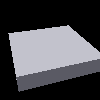
Parameters: - pos – the initial position of the center of the box
- wx – the width of the box in the x direction
- wy – the width of the box in the y direction
- wz – the width of the box in the z direction
- color – the color of the cylinder
Raises: Exception– the dimensions are not distances# create a box that is 1x1x0.1 meters in dimension, # centered at the origin. b = box(vector(0,0,0)*meter, 1*meter, 1*meter, 0.2*meter) camera.position = vector(.5,1.5,1)*meter
-
physical.trail(object, duration=None, dash_time=0.2 second)¶ Add a trail to an object.

Parameters: - object – the object that is trailed, which must have a “pos” attribute
- duration – how long in seconds the trail should last before disappearing
- dash_time – time between when the trail turns on and off, leading to a dashed-line effect
Raises: Exception– the duration or dash_time are not times.s = sphere(vector(-1,0,16)*meter, radius=1.5*meter) s.velocity = vector(2,0,0)*meter/second trail(s, duration=4*second, dash_time=0.1*second) g = vector(0,0,-9.8)*meter/second**2 t = 0*second dt = 0.001*second while t < 5*second: s.pos += s.velocity*dt s.velocity += g*dt if s.pos.z < 0*meter: s.velocity.z = abs(s.velocity.z) timestep(dt) t += dt
-
physical.plot(color)¶ Create a plot object.

Parameters: color – the color of the curve Raises: Exception– the color is not a colorThis function returns a plot object. You can add values to the plot as \(xy\) pairs using code such as:
quadratic = plot(color.green)
linear = plot(color.red)
x = 0
while x < 1:
    quadratic.plot(x, x**2)
    linear.plot(x,x)
    x = x+0.01
-
physical.hline(y, color)¶ Create a horizontal line object.
Parameters: - y – the y value of the line
- color – the color of the line
Raises: Exception– the color is not a color# the y value must have same units as any other quantities # plotted on vertical axis (e.g. example code for `plot`) hline(0*Joule, color.blue)
-
physical.timestep(dt)¶ Advance the simulation by time dt.
Parameters: dt – the time in seconds (as a scalar) to advance Raises: Exception– dt is not a timeYou must call timestep regularly in order for your simulation to be animated. timestep also performs a number of cleanup tasks, such as allowing user interaction with the visualization.
t = 0*second
dt = 0.01*second
while t < 5*second:
    # do something useful here
    t += dt
    timestep(dt)
-
physical.savepng(fname)¶ Save the current image to a file.
This is useful for creating documentation, or for creating instructional materials. If you are using this command, you may also be interested in rendering without displaying a window (for scripting), which can be done with:
PYOPENGL_PLATFORM=osmesa python3 helix.py
provided you have libosmesa installed, and PyOpenGL >= 3.1.0.
-
physical.minimum_fps= 0.1 second**(-1)¶ the minimum frames per second that the renderer will draw.
-
class
physical.Camera¶ The camera
-
center¶ the position at which the camera points
s = sphere(vector(3,3,3)*meter, color=color.yellow)
camera.center = s
-
position¶ the position of the camera.
s = sphere(vector(3,3,3)*meter, color=color.yellow)
camera.position = s
-
range¶ the distance between the camera and the center
The distance can be assigned to, which has the effect of shifting the camera towards or away from the center.
camera.range = 5*meter
-
up¶ the vertical direction of the camera.
camera.up = vector(0,1,0)
-
windowsize¶ the size of the window in pixels
The windowsize can be assigned to, but only prior to creating any objects.
camera.windowsize = (200,200)
-